FLOWER HOUSE
Flower Arrangement App
UX/UI
CASE STUDY
ABOUT
Description
Flower House is a mobile app that helps users customize and order flower arrangements quickly and confidently. Many existing floral services have unclear flows, limited filtering, and low trust around freshness and delivery.
This project focused on simplifying the ordering experience, improving product discovery, and building user confidence throughout the shopping journey.

Design Goals
Create a clear, simple, and reliable experience for browsing, personalizing, and purchasing flower arrangements.
Project Duration
12 weeks
My Role
UX Research
Wireframing
Prototyping
Visual Design
Design Process
01
Discover
I researched how people order flowers online, interviewed users, and reviewed competitors to understand key frustrations in the current experience.
02
Define
I identified the main user needs and pain points, clarified the core problem, and outlined opportunity areas to guide the design direction.
03
Design
I translated insights into wireframes and prototypes, explored different layout options, and refined the experience through feedback and iteration.
DISCOVER
The Problem
In today’s fast-paced environment, people are increasingly time-constrained and have less availability for in-store shopping. Through my research, I identified that few digital products are specifically designed to meet the needs of these busy users. Additionally, customers who rely on phone orders frequently experience delays, while existing online floral shops often present a complicated ordering process without options for precise filtering or selection. This creates a lack of confidence among customers regarding the freshness of the bouquets they will receive.
User Research
I conducted brief interviews with five participants (ages 25–55) to understand how they currently order flowers, what they struggle with, and what builds or breaks trust in online ordering.
Key Objectives
• Learn how users search for and choose flower arrangements
• Identify pain points in existing online floral services
• Understand what increases confidence during purchase
INSIGHTS
From the interviews, three clear patterns emerged:
1. Ordering takes too long
Users felt the process required too many steps and lacked clear guidance.
2. Limited filtering makes selection difficult
People wanted faster ways to find specific colors, styles, and accessories.
3. Low trust in freshness and delivery
Past negative experiences made users hesitant to order flowers online.
Competitive Analysis
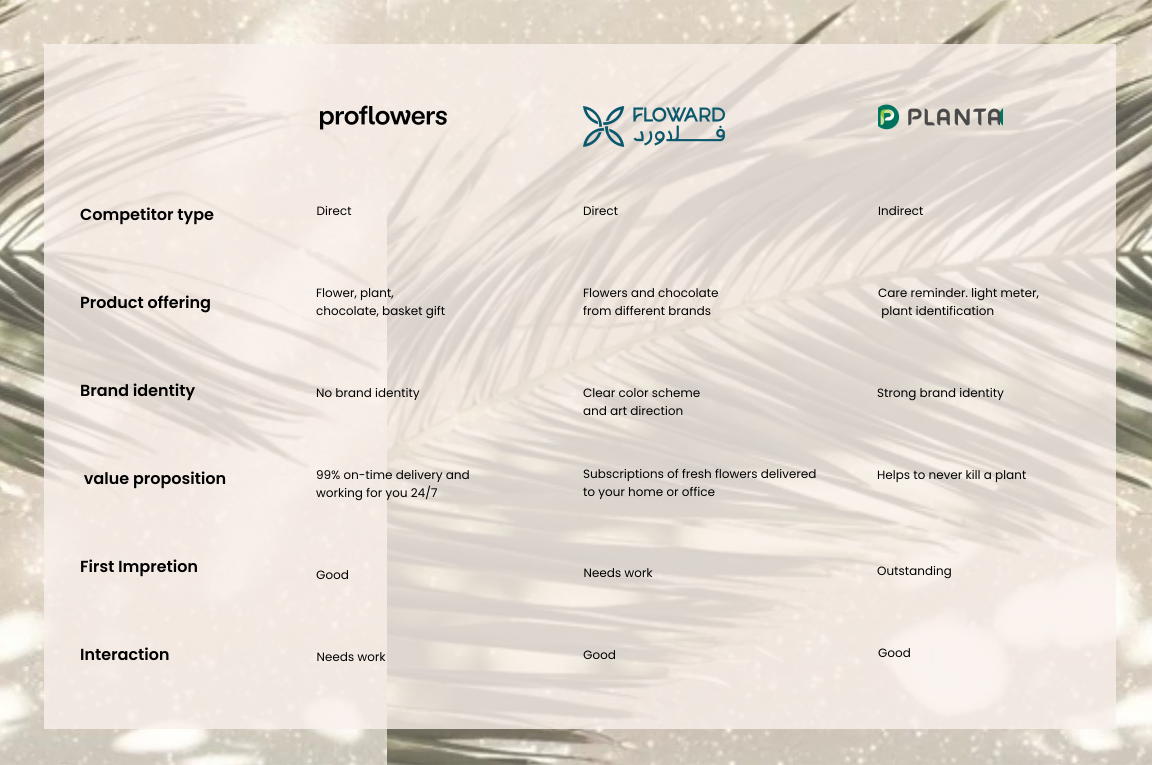
To better understand the market, I analyzed several direct and indirect competitors offering online floral services. The goal was to identify strengths, gaps, and opportunities to improve the Flower House experience.
Key Findings
1. Limited customization options
Most platforms offer preset bouquets with little flexibility, making it difficult for users who want personalized arrangements.
2. Confusing or overly long ordering flows
Many services require too many steps, resulting in higher drop-off during checkout.
3. Weak filtering and product categorization
Competitors often lack clear filters for color, size, style, or accessories, slowing down product discovery.
4. Low emphasis on trust elements
Few platforms clearly communicate freshness, delivery timing, or product availability, leading to uncertainty for users.
Opportunity Identified
There is a clear space to create a more intuitive, customizable, and trustworthy ordering experience with stronger filtering, clearer navigation, and transparent delivery information.
DEFINE
Persona
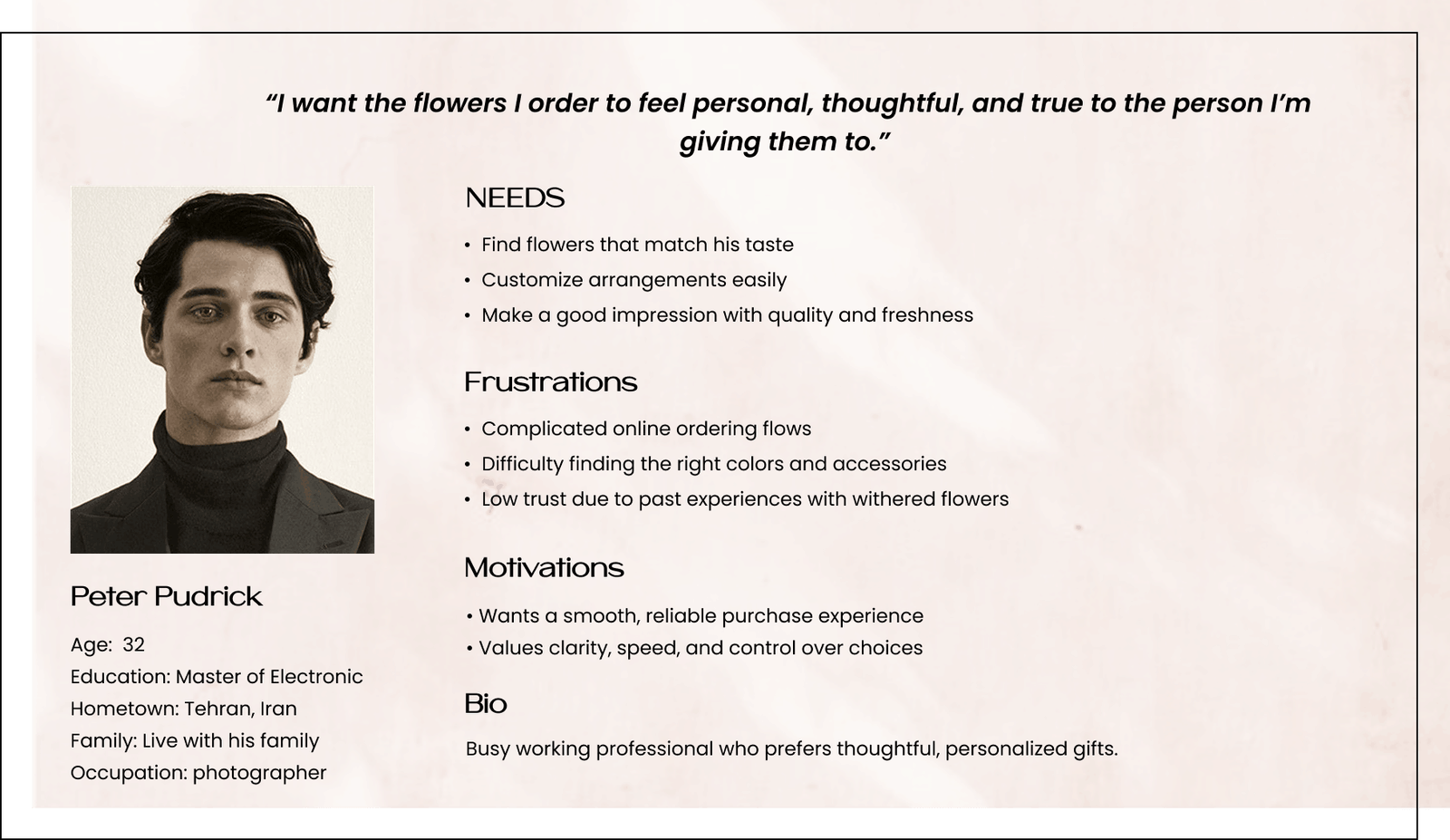
Based on interviews, this persona represents the key behaviors, needs, and pain points I observed. It serves as a sample profile that helped guide design decisions and keep the experience aligned with real user expectations.
Problem Statement
Users need a faster and more trustworthy way to order flowers online, because current services have confusing flows, limited filtering, and low reliability around freshness and delivery.
User Needs
• A simple, guided ordering process
• Clear filtering to find the right products quickly
• Transparency and trust in delivery and product quality
Opportunity Area
• Simplify navigation and reduce unnecessary steps
• Improve product discovery through better categorization and filters
• Increase trust with clearer delivery options and product details
DESIGN
Ideation & Sketch
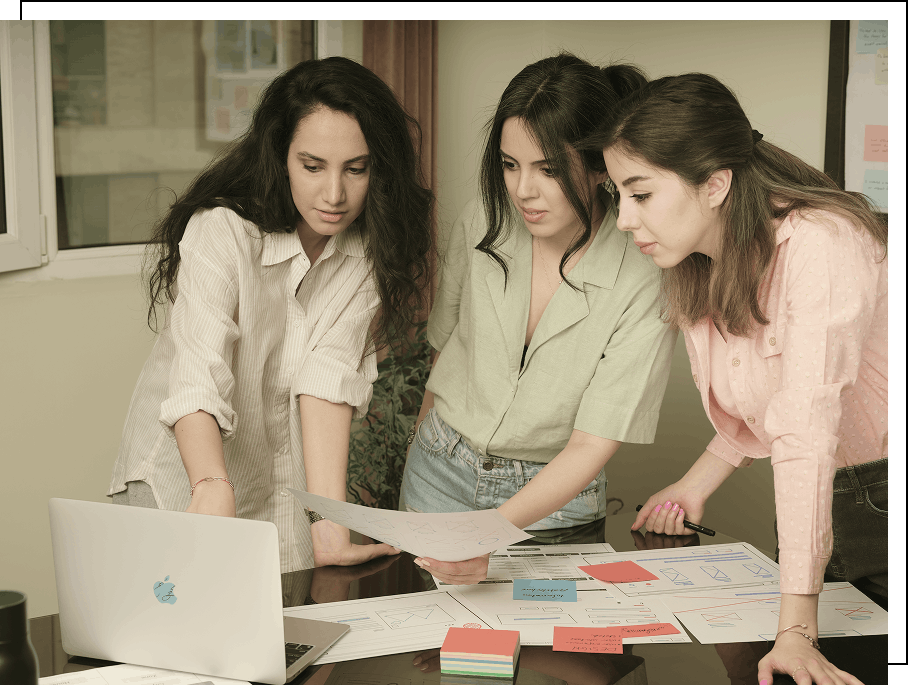
I explored early concepts through quick sketches and simple structures to define how the experience should work. This stage helped shape the information architecture, select the clearest flow, and prepare for digital wireframes and the final prototype.
Paper Wireframes
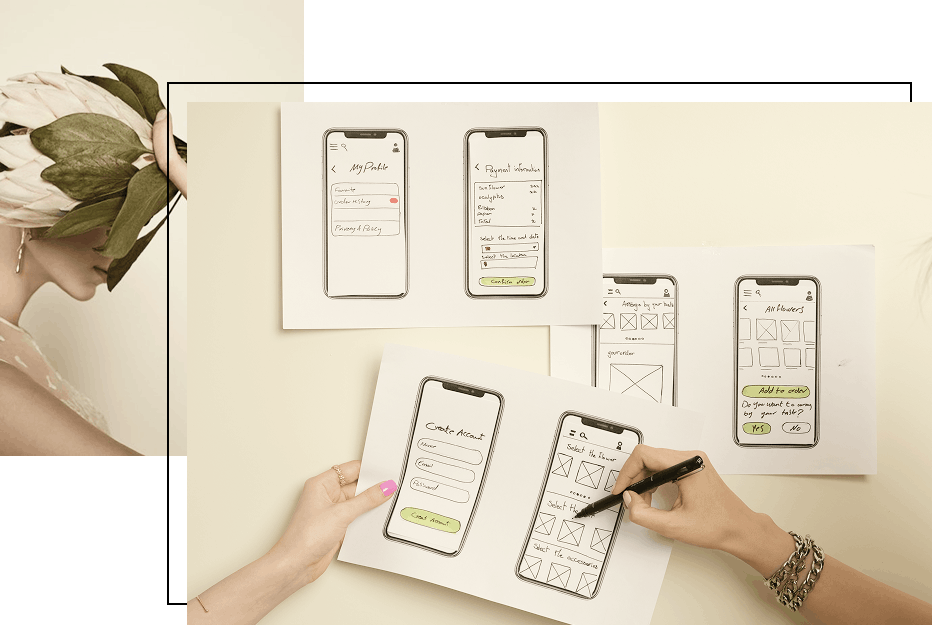
I began with quick paper sketches to explore layout ideas and simplify the ordering process. This helped test different concepts early and identify the clearest flow before moving into digital design.
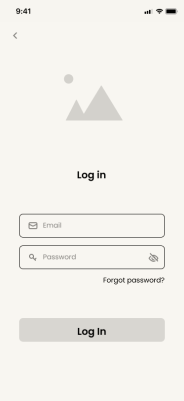
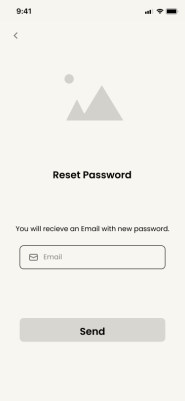
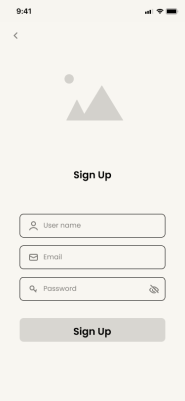
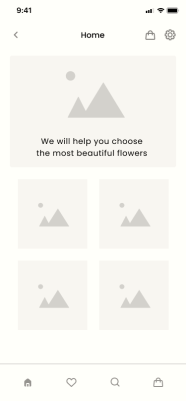
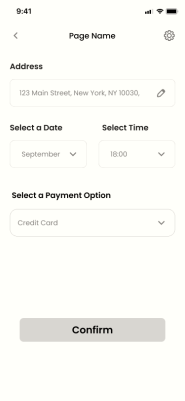
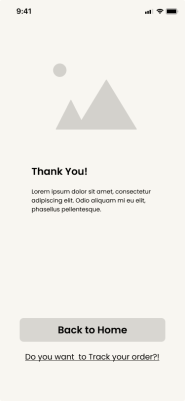
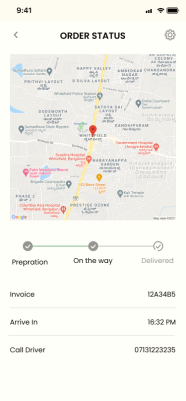
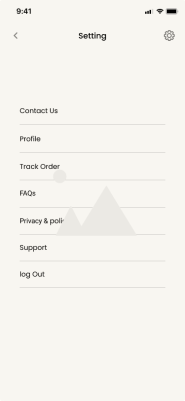
Digital Wireframes
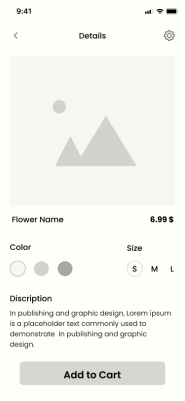
After selecting the strongest layout directions, I created digital wireframes that focused on improving navigation, highlighting key product information, and making customization steps more intuitive.
The transition from paper to digital allowed me to refine structure, reduce unnecessary steps, and ensure each screen supported a smooth shopping experience.
Usability Testing, Low-Fidelity
I conducted a low-fidelity usability test with 5 participants to validate the initial flow and identify early friction points. The goal was to understand whether users could navigate the app, find products, and complete basic tasks without confusion.
Key Findings
• Users struggled to understand the location entry field
• Several steps in the ordering flow felt unclear or unnecessary
• Users wanted a quicker way to choose delivery date and time
Improvements Made
• Added a map to simplify location selection
• Reduced the number of steps in the flow
• Introduced a clear date-and-time selector for scheduling deliveries
The findings helped refine the structure before moving to high-fidelity design.
Visual Design
The visual system was designed to create a fresh, calm, and trustworthy experience that reflects the nature of floral products.
Style & Glassmorphism
To create a modern and elegant feel, I incorporated light glassmorphism elements throughout the interface. The effect was used selectively to add depth, highlight key components, and create visual separation without overwhelming the user.
Shadow, transparency, and subtle background blur were combined to keep the layout clean and maintain readability. The style complements the natural theme of the app while supporting a fresh and calming visual experience.
Color Palette
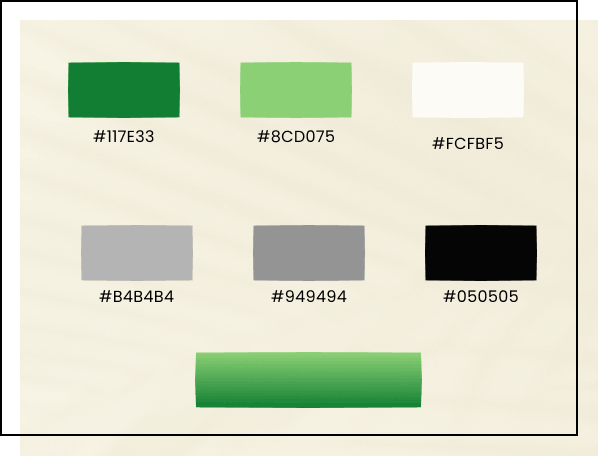
The palette follows WCAG 2.1 AA compliance, ensuring high contrast and legibility for users with color vision deficiencies or those in bright outdoor conditions. I balanced fresh green tones for brand reliability with soft neutrals to keep the focus entirely on the products.
Typography
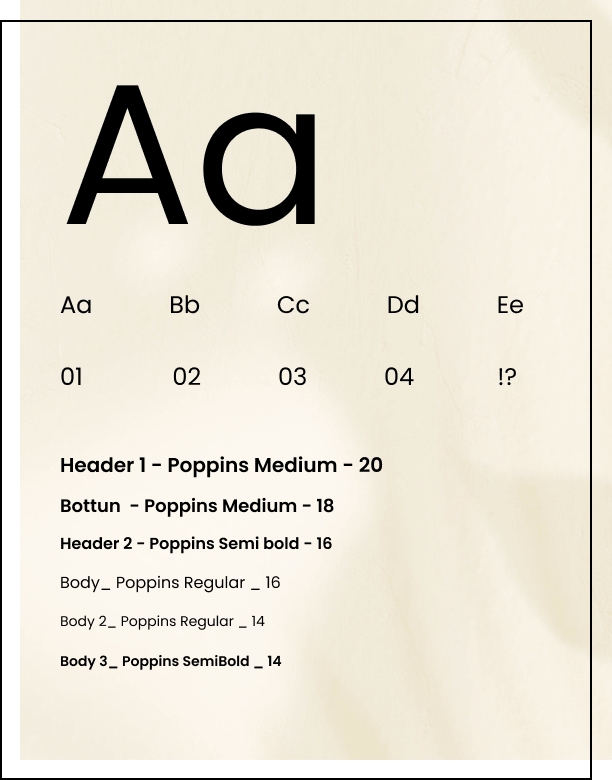
I selected Poppins, a clean and modern geometric sans-serif typeface. It was chosen specifically for its high legibility and balanced proportions, ensuring a seamless reading experience across various mobile screen sizes and lighting conditions.
High-Fidelity Screens & Final UI
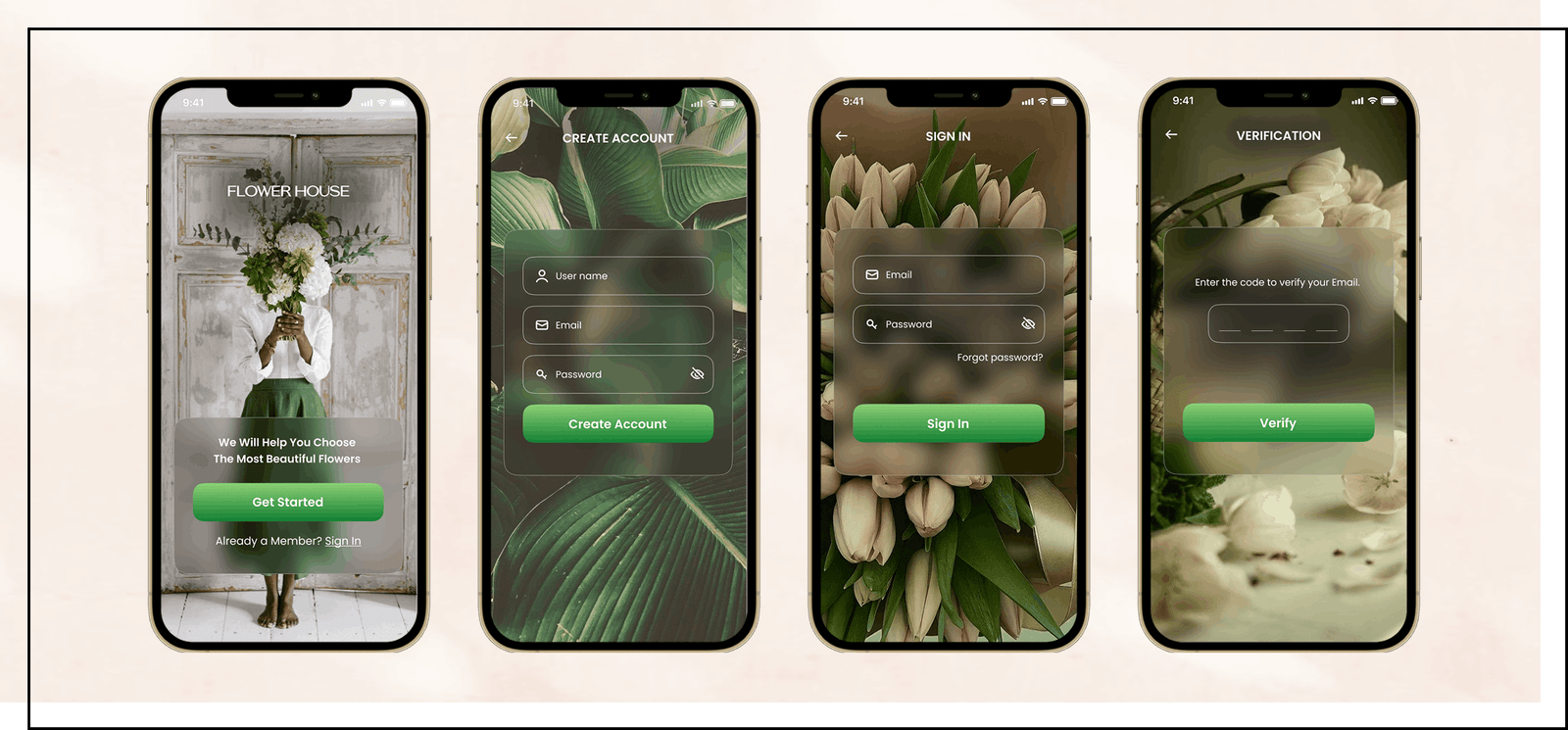
The final UI focuses on clarity, simplicity, and fast decision-making. Each screen was refined based on user feedback to reduce friction and make the ordering experience more intuitive.
Onboarding
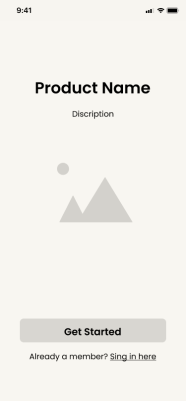
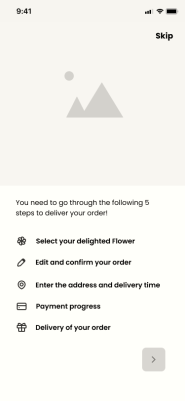
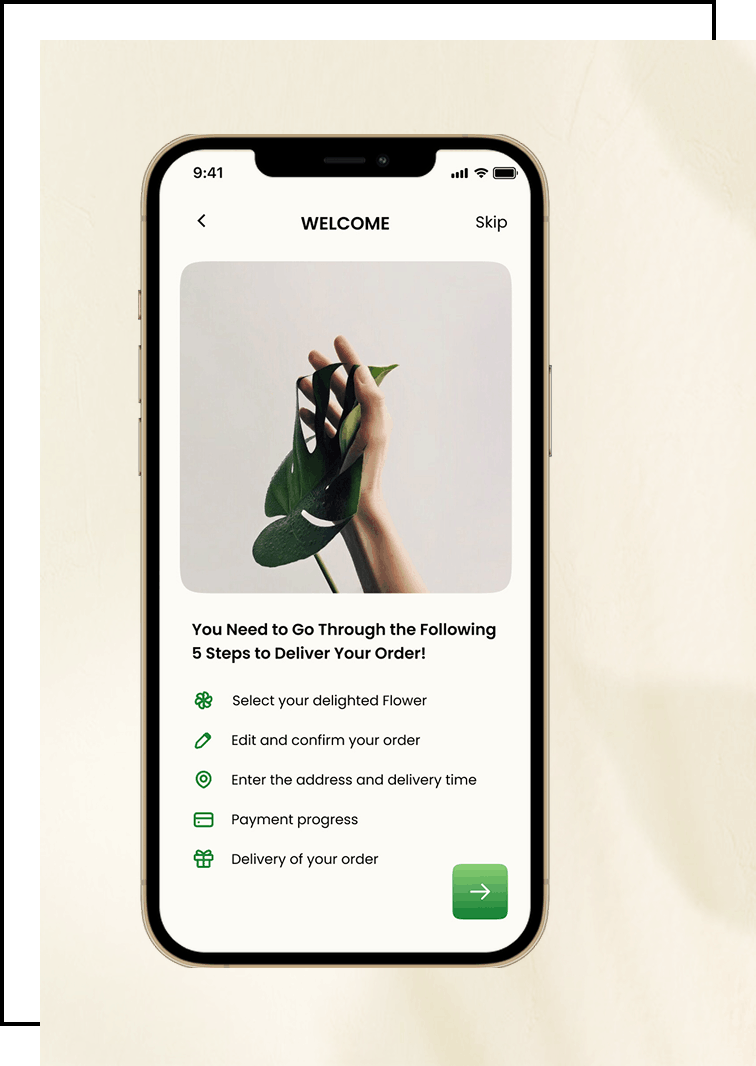
The onboarding flow introduces the app’s core actions and helps users quickly understand how to customize and order flowers. The goal was to create a welcoming start and reduce hesitation for first-time users.
Home Screen
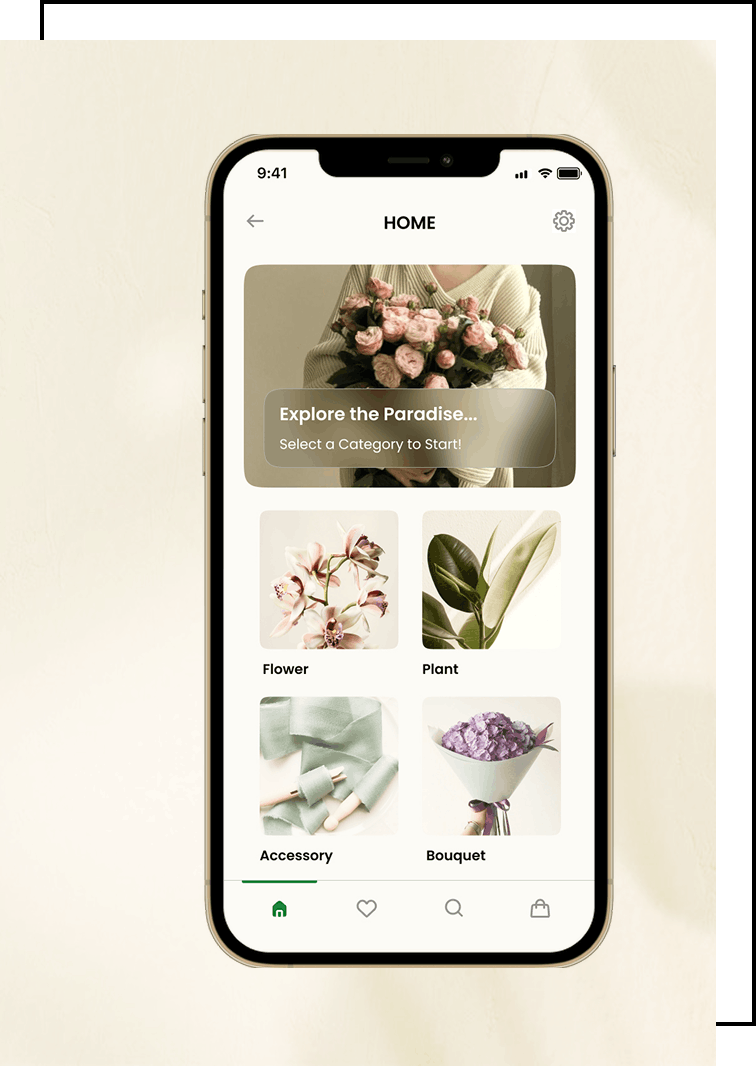
The home screen offers clear entry points into key categories such as Flowers, Plants, Accessories, and Bouquets. The layout is intentionally simple to support fast browsing and reduce cognitive load.
Product Listing
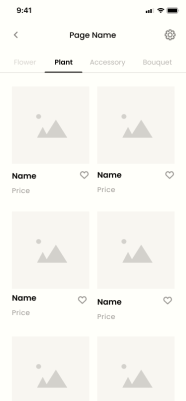
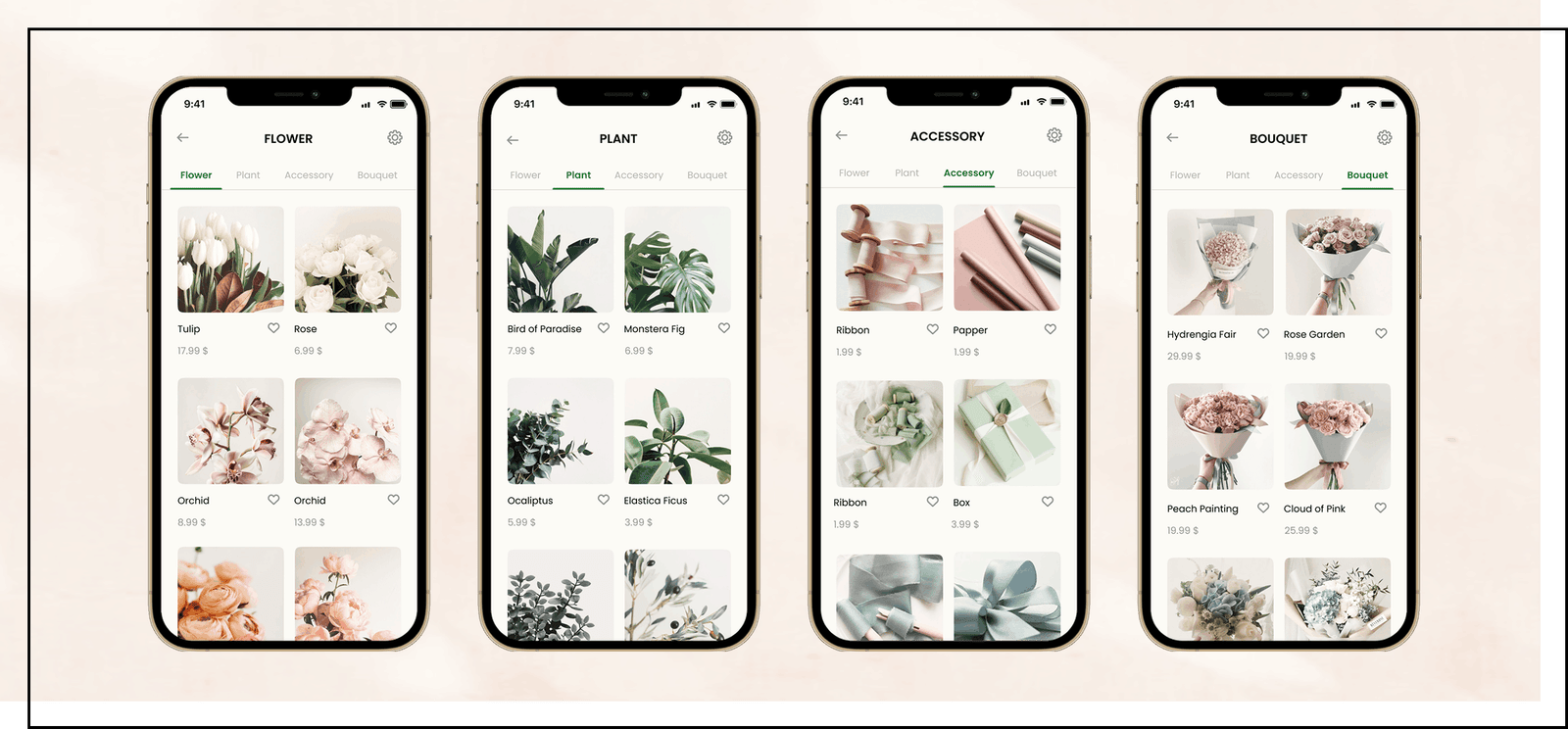
The product listing screen allows users to browse all available items and switch easily between categories using a simple tab bar. This helps users quickly differentiate between flowers, plants, accessories, and bouquets. Clear product cards ensure users can find what they need in just a few clicks.
Arrangement Type
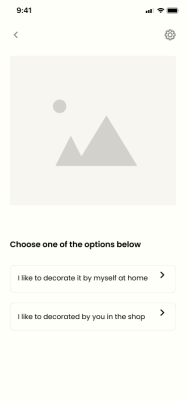
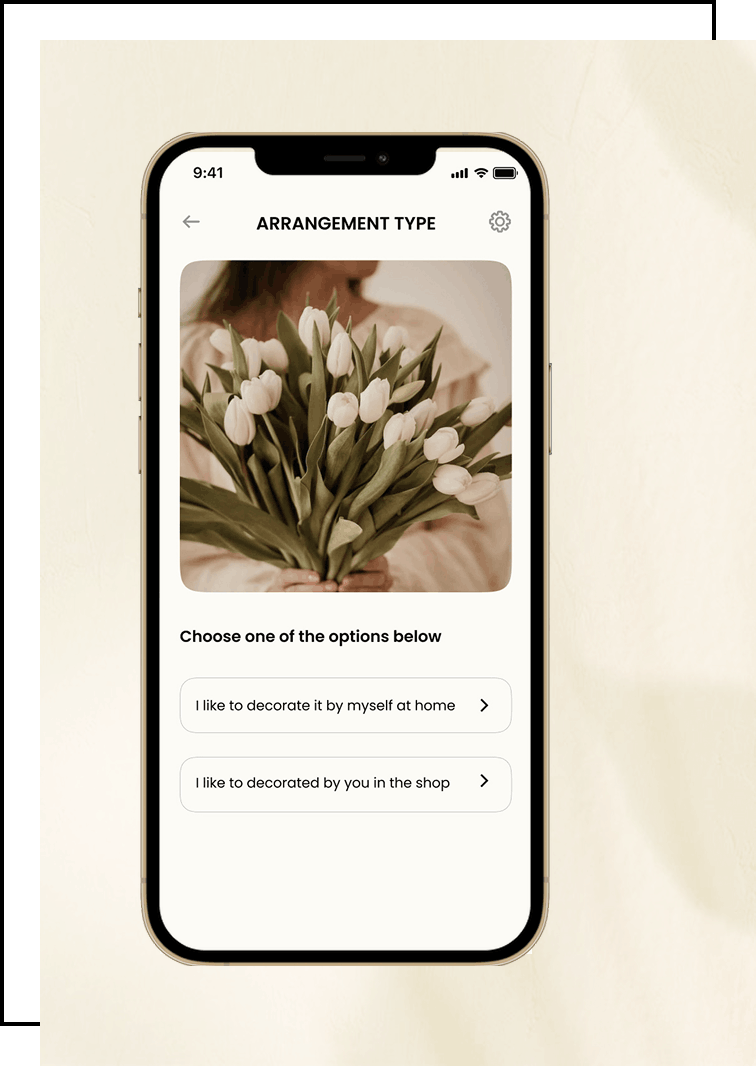
Users can choose from different arrangement styles before personalizing the details. This step reduces confusion and gives users a clear starting point for customizing their bouquet.
Search & Filtering
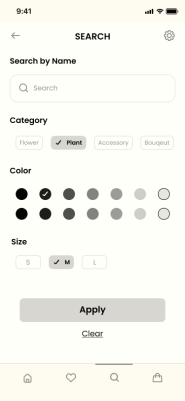
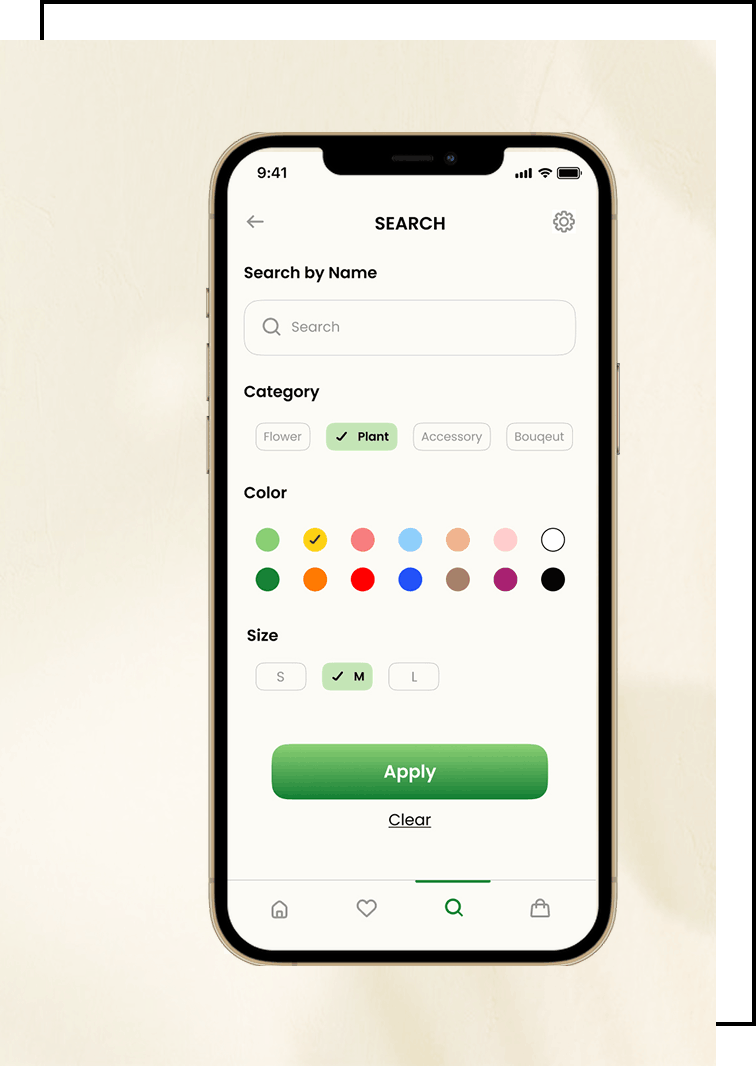
Search was redesigned to help users find the right arrangement faster. Filters such as color, size, style, and price allow users to narrow down results without scrolling through irrelevant items.
Purchase Flow
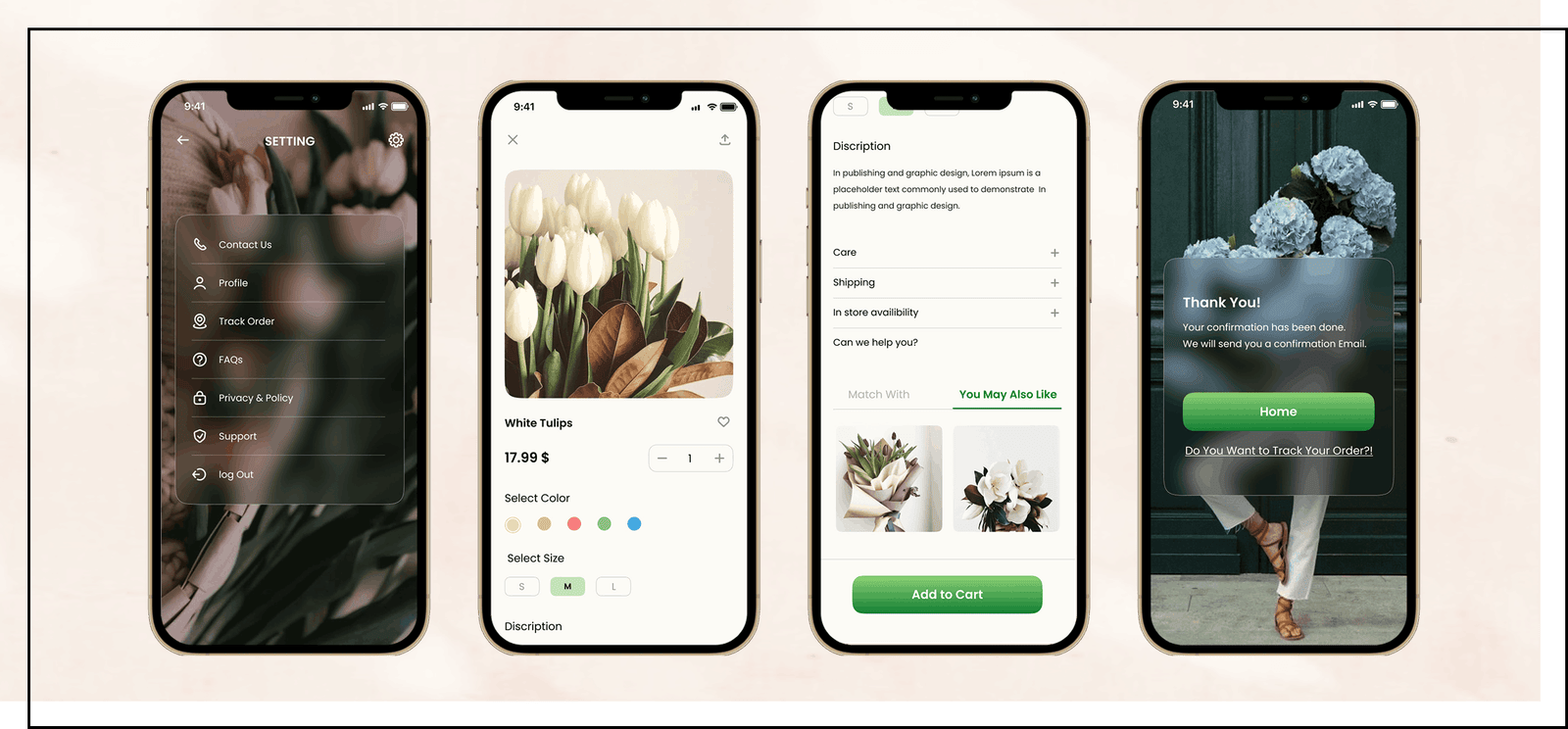
The purchase flow brings together product selection, customization, and delivery scheduling in a simple, guided sequence. Each step was refined to minimize confusion, reduce unnecessary actions, and support users in completing their order with confidence.
Usability Testing, High-Fidelity Prototype
I conducted a usability test with five participants, which is enough to uncover more than 80 percent of usability issues. Based on their feedback, I made several minor but important improvements to clarify actions and reduce confusion. The final high-fidelity prototype delivered a cleaner, more intuitive flow for browsing, ordering, and checkout.
What I Learned
This project reinforced the importance of testing early and refining often. I learned that even small adjustments, such as clearer hierarchy or better button placement, can significantly improve user confidence. I also gained a stronger understanding of how simplicity, transparency, and trust impact the overall shopping experience.
Future Improvements
• Integrate AR features to virtually preview floral arrangements in-home
• Add personalized recommendations based on user preferences
• Improve product photography for better visual accuracy
• Introduce delivery status notifications and reminders
• Expand to support multiple languages and accessibility options