
PetTender

UX Case Study
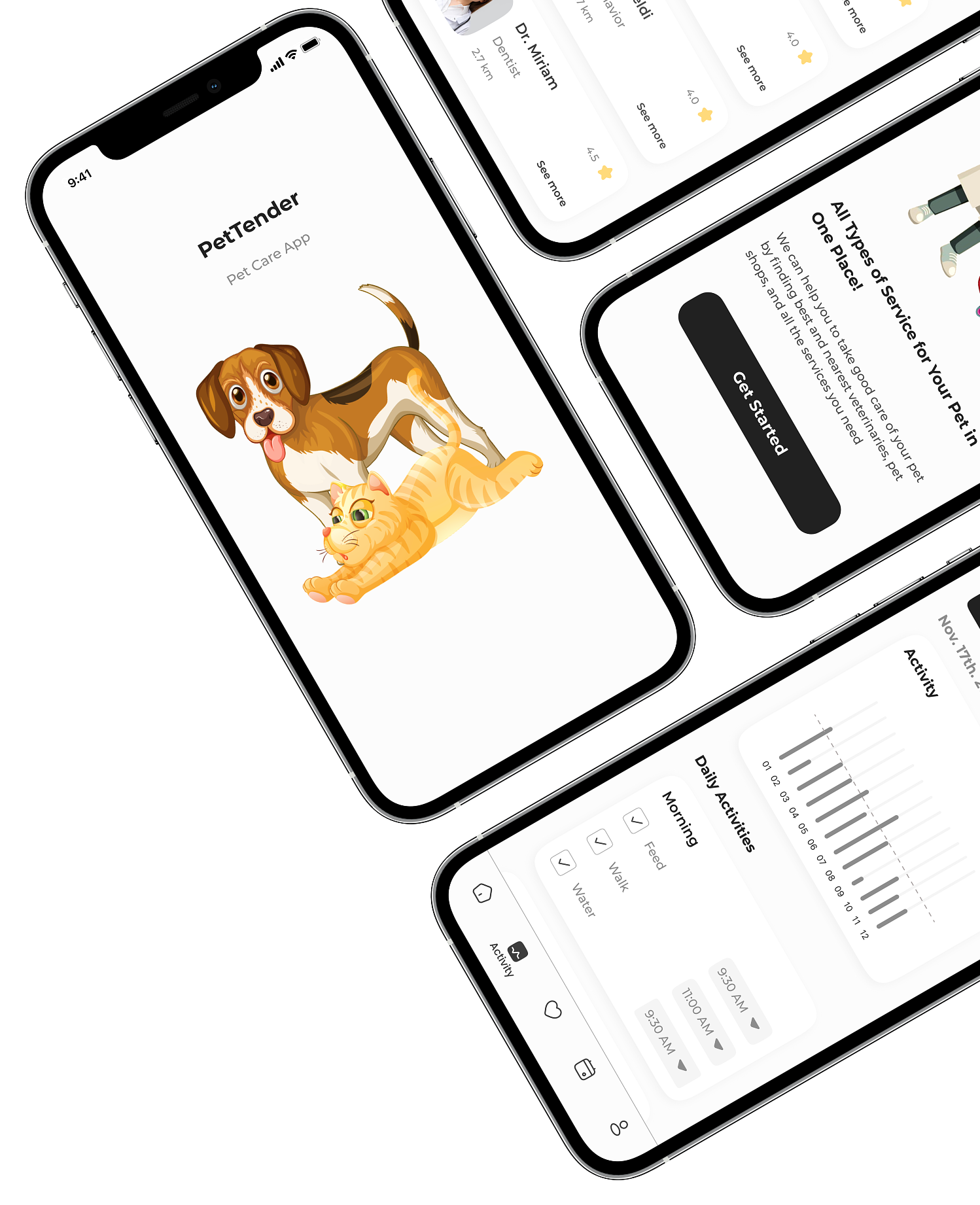
PetTender is an application dedicated to tracking pets’ health and daily care, and lets users schedule calendars about what needs to be done for their pets.


Let’s Start Our Journey
Introduction
PetTender is a mobile app that helps pet owners stay organized with their pets’ daily care and health needs. The app allows users to track medical records, schedule appointments, and receive reminders, creating a simpler and more reliable pet care experience.
Problem
Pet owners struggle to keep track of their pets’ health records, appointments, and daily tasks. Existing solutions are scattered, lack reminders, and make it hard to access essential information quickly.


Empathy

Define

Ideate

Prototype

Test
Research
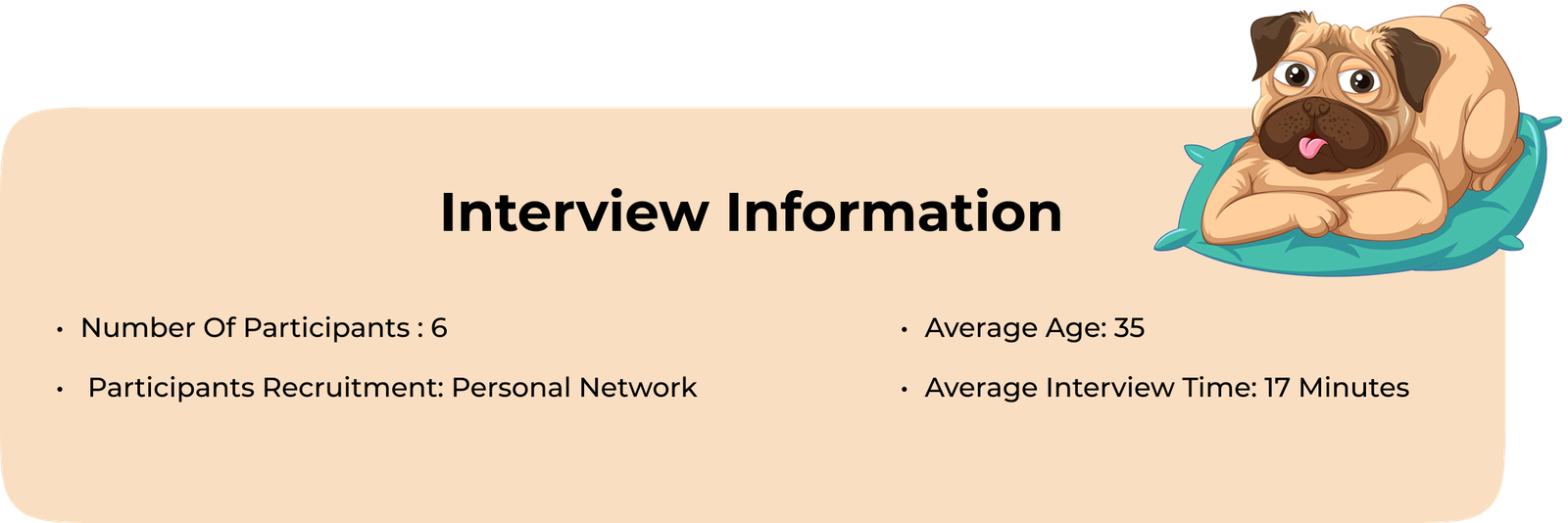
I interviewed 6 participants to understand how they manage pet care. They shared challenges such as finding reliable health information, scheduling appointments, locating products, and tracking medical history.

Empathy Map
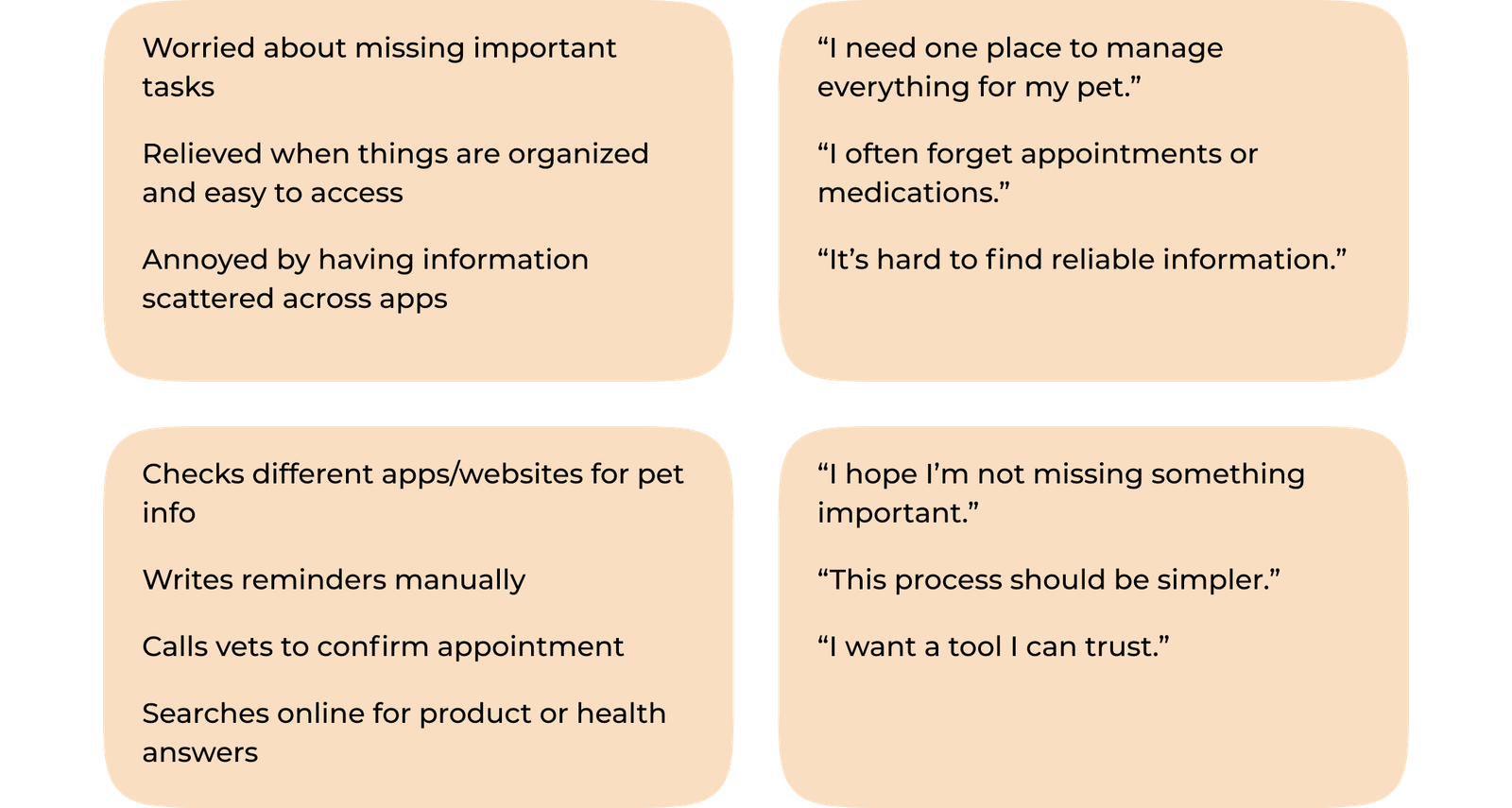
To better understand the user’s mindset, I created an empathy map based on interview insights. It helped clarify what users feel, do, see, and think during their daily pet-care tasks and highlighted emotional pain points that guided the design.
Persona
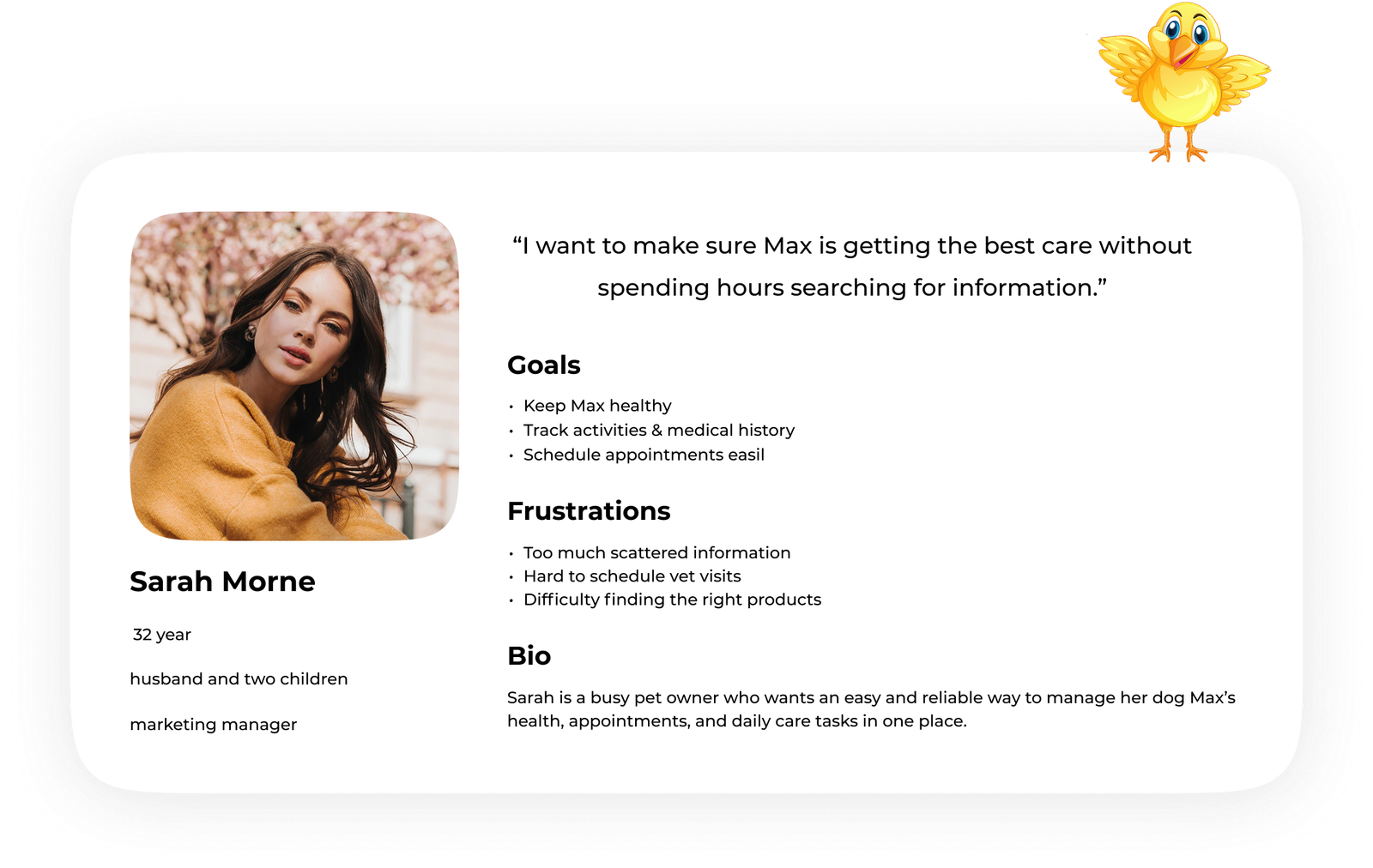
To better understand my users, I created three personas that represent different types of pet owners who might use the app. This helped me clarify their needs, motivations, and pain points, allowing me to design features that truly support their daily pet-care routines. Below is one example persona that guided key design decisions.
User Flow
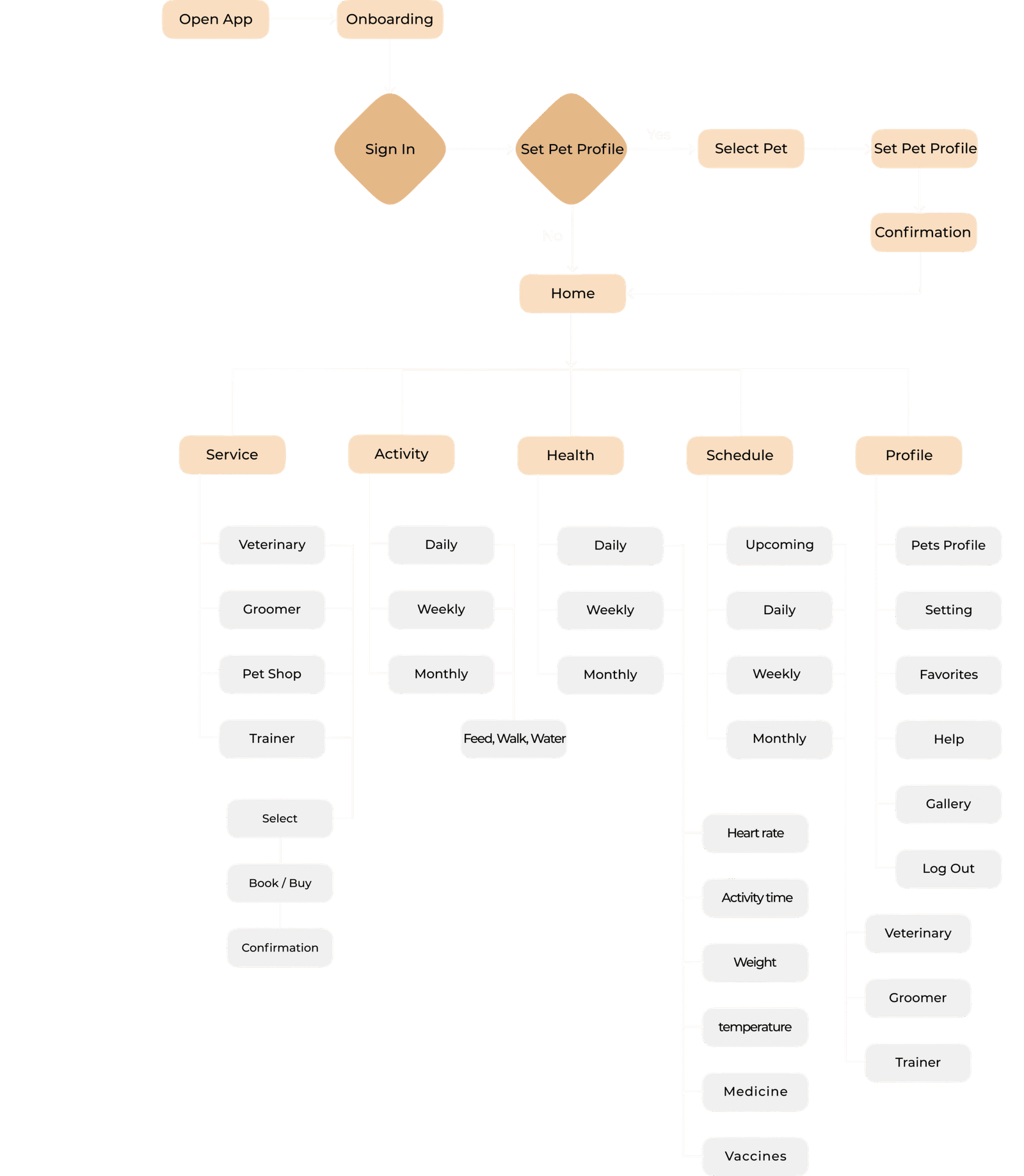
I mapped a clear user flow for onboarding, selecting pets, viewing services, tracking activities, and scheduling appointments. The flow helped structure the product and prioritize essential interactions.


Low-Fidelity Prototype
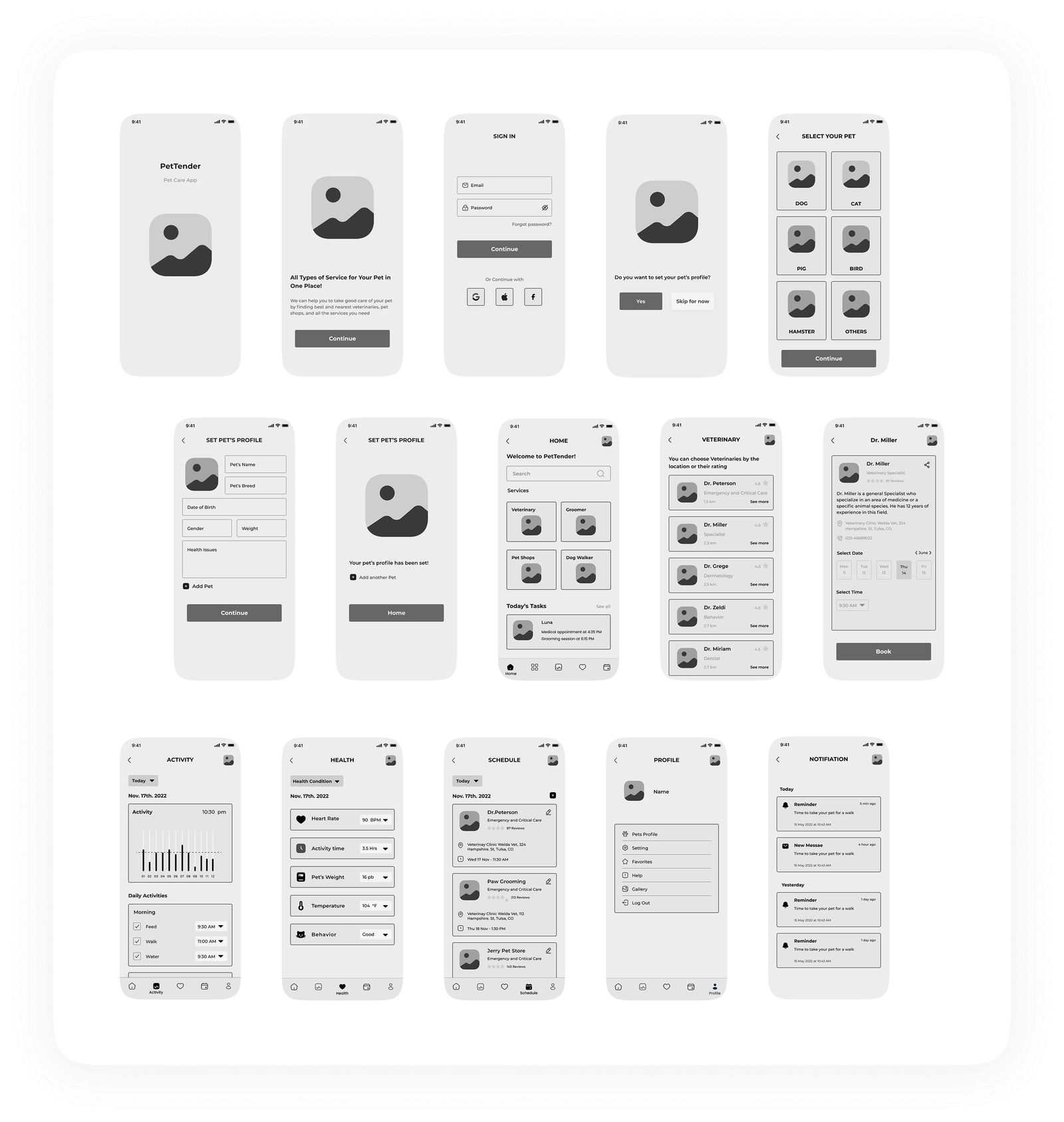
Paper sketches and low-fidelity wireframes helped visualize the initial structure and test ideas quickly before moving to digital designs.

Usability Testing
I tested both low-fidelity and high-fidelity prototypes with 5 participants. Most users navigated easily but pointed out areas needing clarity, such as appointment scheduling and product categorization. Minor adjustments improved overall flow and reduced confusion.

Final Design
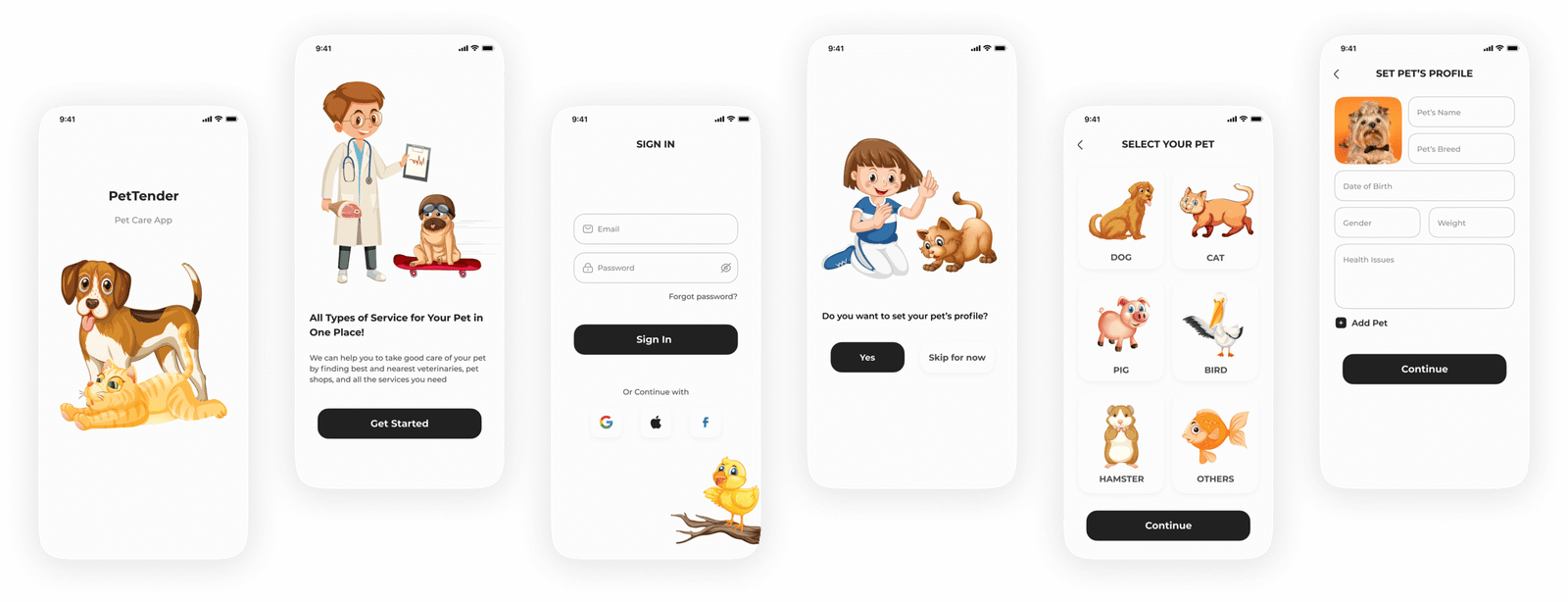
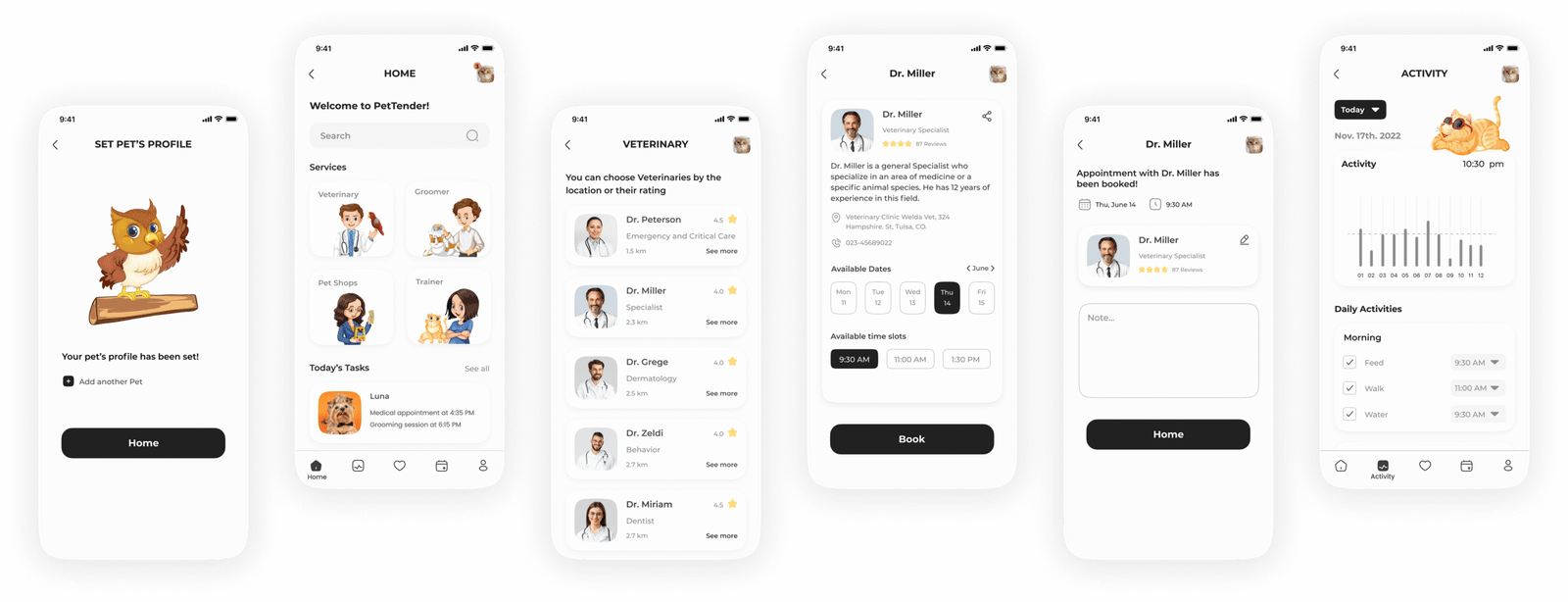
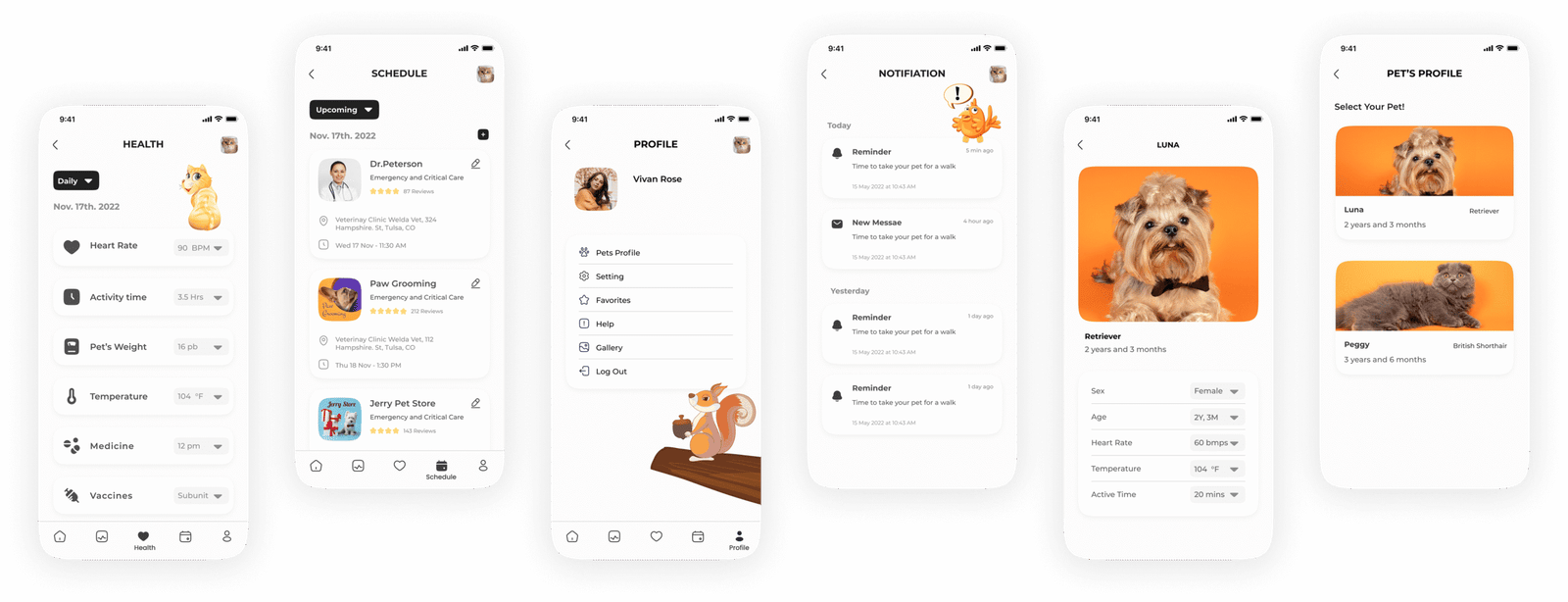
The final interface focuses on clarity and accessibility. Users can easily view pet profiles, track health metrics, schedule appointments, and manage daily care, all within a clean, friendly, and intuitive design system.

What I Learned
This project emphasized the importance of understanding real user pain points and validating concepts early. I learned to prioritize features based on user needs, communicate clearly during teamwork, and manage research and design effectively. Consistent testing reinforced that even small UX adjustments can significantly improve usability.

Thank you for reviewing this case study.